API Key
Generating an API Key
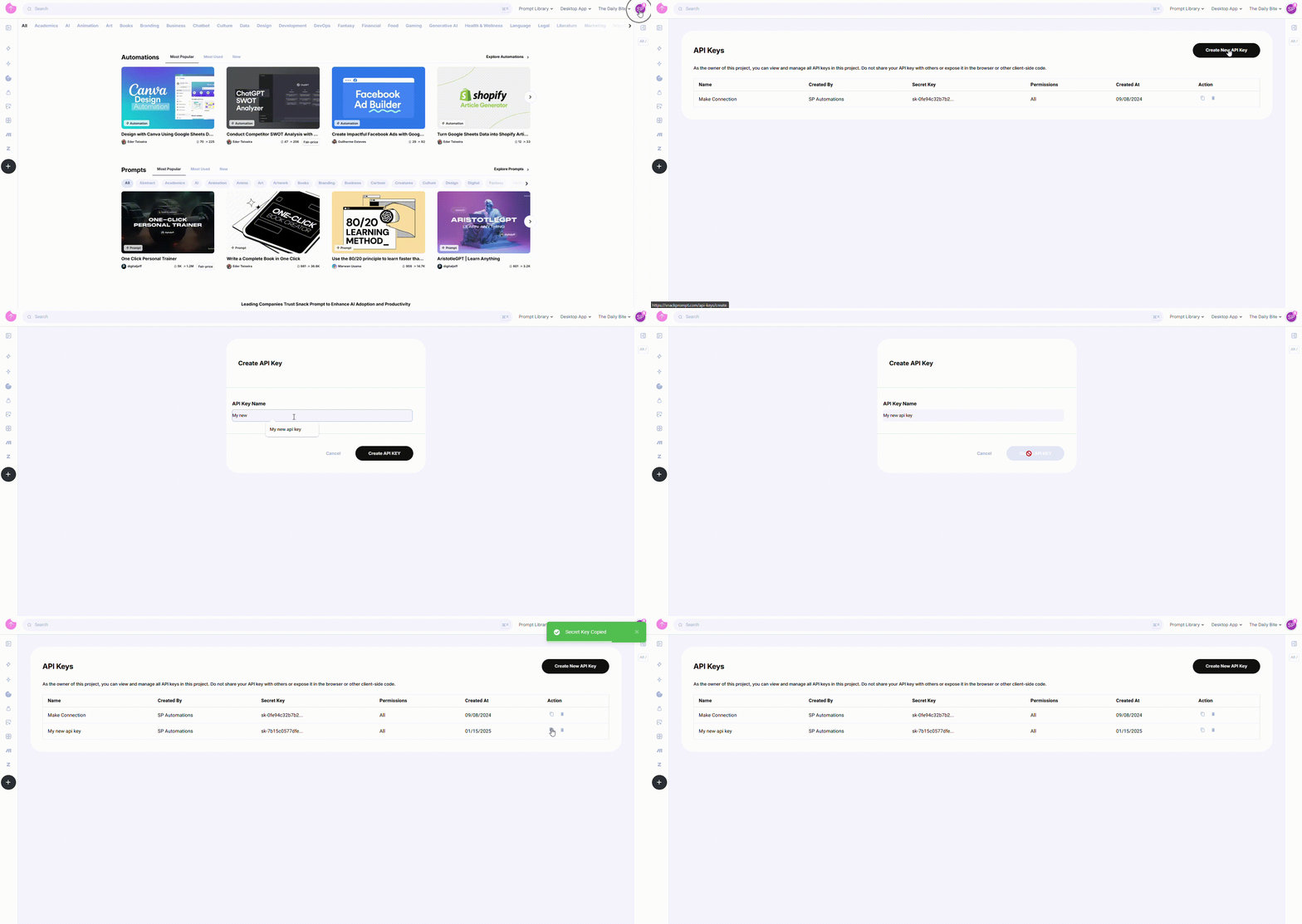
To generate an API Key, follow these steps:
- Log in to your Snack Prompt account.
- Navigate to the API Keys page: https://snackprompt.com/api-keys.
- Click the Create New API Key button.
- Provide a name for your Key to easily identify it later.
- Once created, you can:
- Copy the Key for immediate use.
- Delete the Key when it's no longer needed.
Note: API Keys do not have an expiration date and will remain valid until deleted.
Using Your API Key
To authenticate your API requests, include your API Key in the request header as follows:
x-api-key: YOUR_API_KEY
Example Request
curl -X GET "https://api-integrations.snackprompt.com/v1/auth/token/validate" \
  -H "x-api-key: YOUR_API_KEY"
Best Practices for API Key Usage
To keep your API Key secure and ensure smooth integration, follow these best practices:
- Keep your Key confidential: Do not share your API Key publicly (e.g., in public repositories, forums, or client-side code).
- Rotate your Keys periodically: Although Keys do not expire, it's recommended to regenerate them periodically to enhance security.
- Delete unused Keys: Remove any unused or unnecessary API Keys to minimize risk.
- Monitor for unauthorized usage: Keep track of your account activity to detect any unusual or unauthorized API access.
Managing Your API Keys
You can manage your API Keys from the API Keys page:
- Copy: Use the copy button next to each Key to quickly copy it to your clipboard.
- Delete: Use the delete button to remove any Key that is no longer needed.